


Introducing
Agrimaster 10 Core
A new generation of Agrimaster. 100% in the cloud.
The next generation of farm financial management is here. Agrimaster 10 introduces a modern, intuitive budgeting experience with secure cloud access and no software installation required.
Available exclusively to Agrimaster Standard and Agrimaster-Plus customers as part of your current subscription, for an introductory period.

Your next generation of farm budgeting starts here
Agrimaster 10 brings a modern, intuitive experience to the budgeting functionality you already know.
We're releasing it progressively, starting with core budgeting and reporting to help you create and manage budgets, forecast cash flow and understand your projected financial position.
For Quick Budgeting users, Agrimaster 10 offers a significant upgrade today. For Full Budgeting users, it's the start of a new era that will develop with you in 2027.
Your current Agrimaster 6.5 isn't changing
Getting started with Agrimaster 10 will not affect your existing Agrimaster 6.5 subscription, access or data.
Your existing files and budgets will remain unchanged, so you can explore Agrimaster 10 with confidence while continuing to use Agrimaster 6.5 as you do today.
It's also a great opportunity to involve the next generation in your farm's budgeting and financial planning, without affecting your existing Agrimaster 6.5 budgets.
Before you get started
Agrimaster 10 is being released progressively. Here’s what you need to know.
Quick Budgeting
If you primarily use Quick Budgets, Agrimaster 10 is ready for you to explore, with a modern interface and new tools to simplify budgeting.
Full Budgeting
Some Full Budgeting functionality isn't available in Agrimaster 10 yet. Continue using Agrimaster 6.5 for these features while exploring what's new.
Advisor collaboration
Budget sharing and collaboration with your Advisor isn't available in Agrimaster 10 yet. You can continue using Agrimaster 6.5 for this.
Importing budgets
Agrimaster 10 currently supports importing eligible Quick Budgets from Agrimaster 6.5. Full Budgets must first be copied or converted to Quick Budgets before importing.
No Quick Budgets in Agrimaster 6.5?
Don't stress, once onboarded you can create a budget from scratch or actuals.
You don't need to change how you work to get started. Keep using Agrimaster 6.5 for the functionality you need today while getting familiar with Agrimaster 10 at your own pace.
A new way to plan for what's ahead
Discover a simpler way to budget, forecast cash flow, and plan for your farm's financial future, with secure cloud access and a modern, intuitive interface.
Work from anywhere
Access your budgets securely through your web browser, anytime, anywhere, with automatic cloud saving and no software installation required.
Involve the next generation
Introduce the next generation to your farm's budgeting and finances through a modern, intuitive platform, without changing your existing Agrimaster 6.5 data.
Plan faster
Spend less time navigating software and more time planning with a cleaner interface and streamlined budgeting tools.
See where you're heading
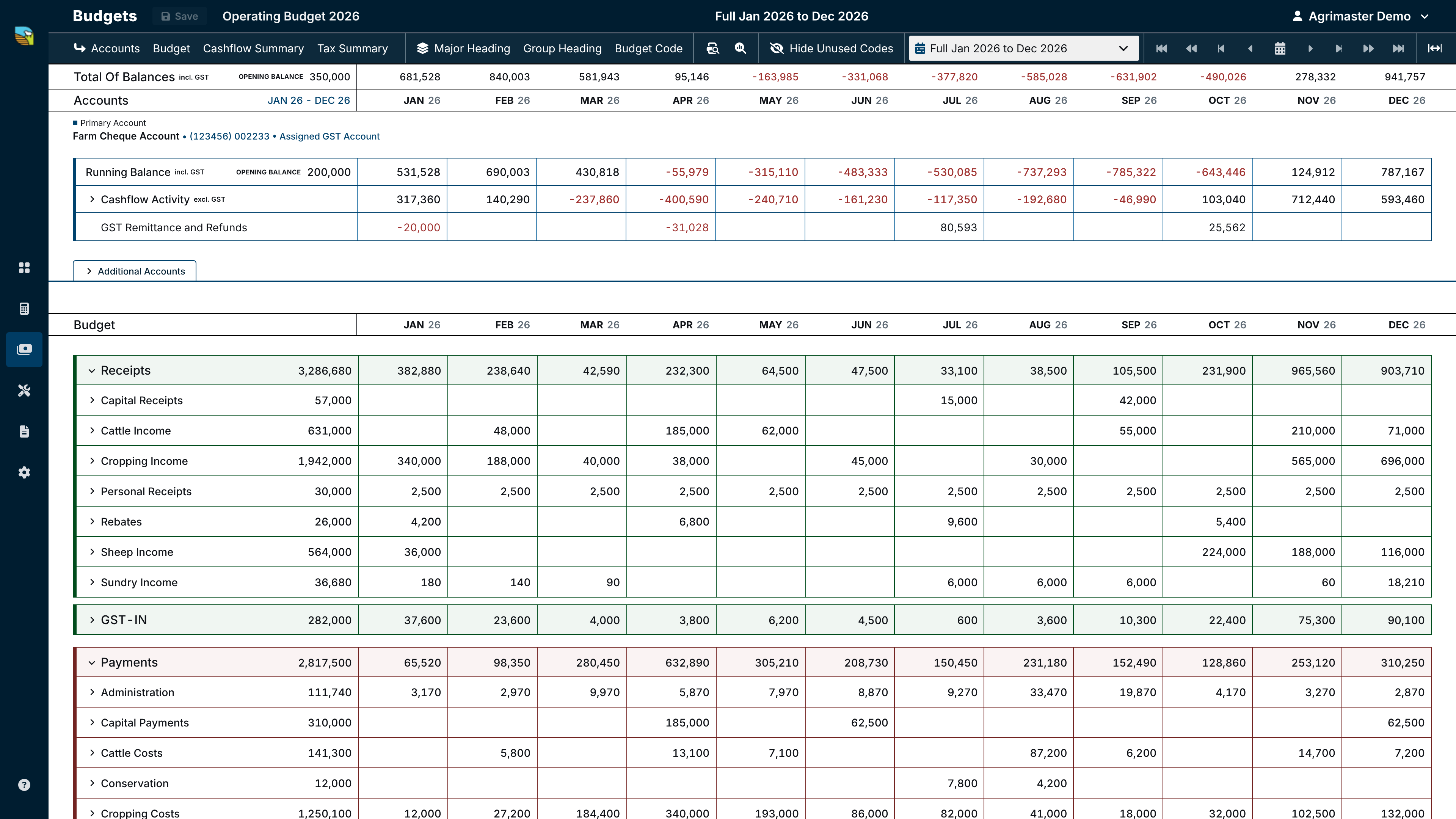
Bring together your budget, projected cash flow, bank account balances, working capital and GST position in one place.
Continuously improving
Enjoy regular updates and new features as Agrimaster 10 evolves, helping you plan with confidence and make informed decisions.
Why choose Agrimaster 10?
Simple onboarding
Guided and efficient step-by-step setup to get you started with confidence.
Import existing budgets
Import Agrimaster 6.5 Quick Budgets into Agrimaster 10.
Web-based solution
Work anywhere, no installation required, just log in and start.
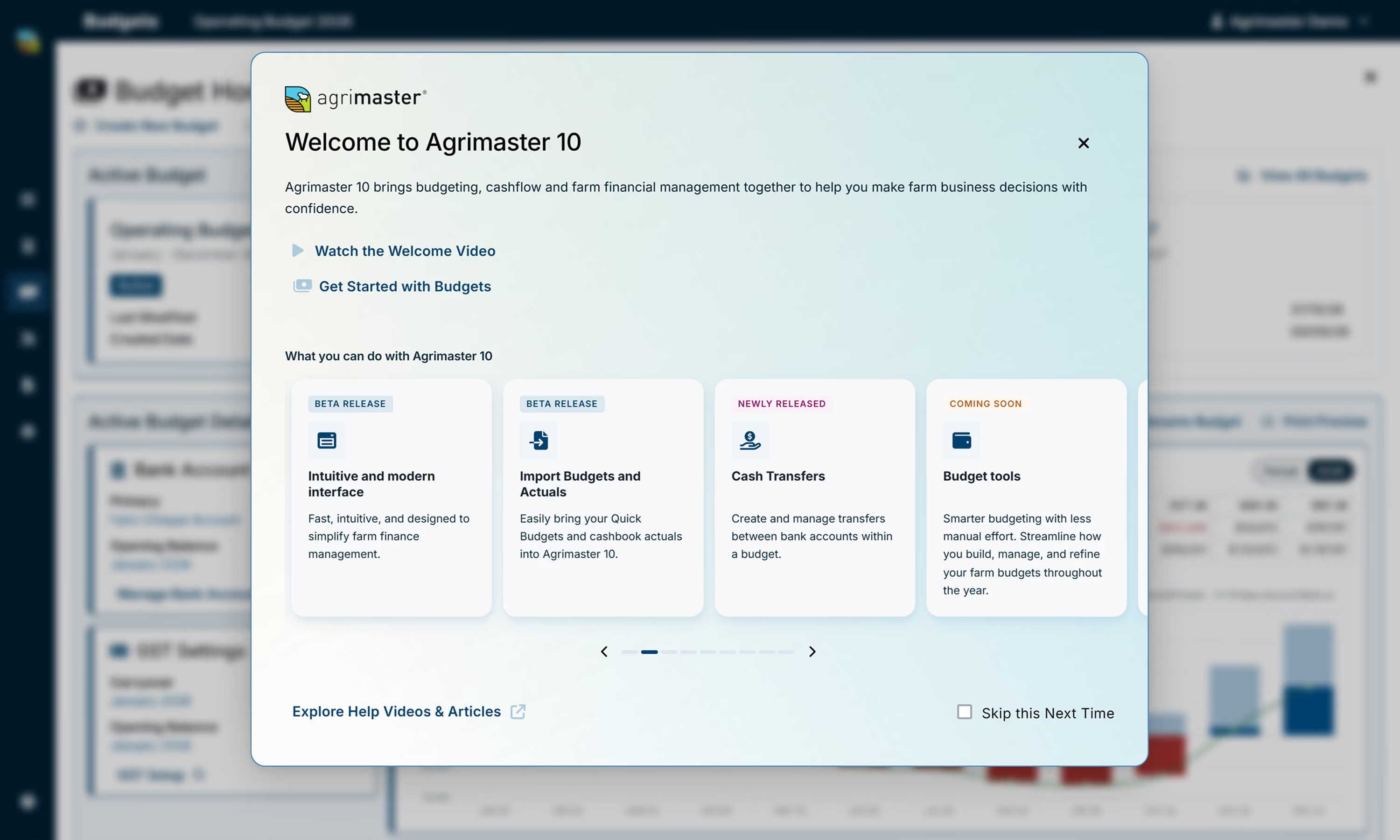
Welcome dashboard
Get started with helpful guidance, shortcuts and next steps in one place.
Modern interface
Enjoy an intuitive experience designed to make budgeting simpler.
Secure cloud saving
Save your budgets securely in the cloud, with your data stored in Australia.
Working capital availability
High-level view of your projected cash position throughout the budget period.
Quick view toolbar
Navigate your budget and customise how information is displayed from one toolbar.
Print budgets
Produce clear budget reports to print or share.
Global settings
Manage GST and bank account setup in one place.
Simple budget creation
Build budgets quickly with easy-to-use tools and guided steps.
Continuous updates
New features and improvements are released regularly.
Get started in 4 steps
Prepare to import
If you don't have any Quick Budgets to import or prefer to create a new budget from actuals or from scratch in Agrimaster 10, you can skip this step.
Important: If you skip this step, you won't be able to return and complete it later.
Follow the Help Centre guides to prepare your Agrimaster 6.5 Quick Budget files for import.
Register and create a voucher
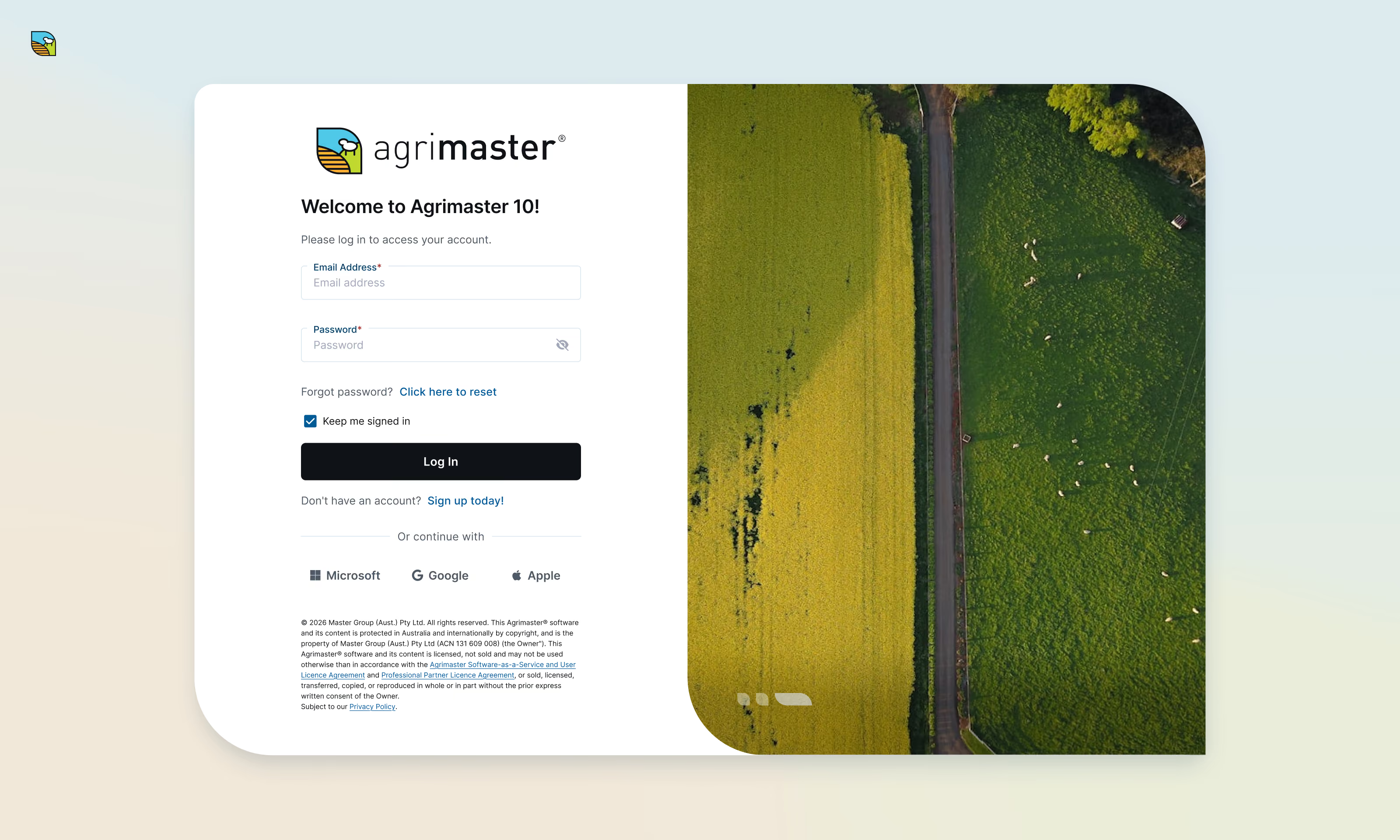
Complete Single Sign-On (SSO) or manual registration, create a voucher, and link it to your Agrimaster subscription.
Import existing Agrimaster data
Use the Import Portal to securely transfer your existing Agrimaster 6.5 data into Agrimaster 10.
Start using Agrimaster 10
Familiarise yourself with the Agrimaster 10 interface and its features to efficiently manage your financial data.
Evolving with you
Agrimaster 10 was developed with over 40 years of experience working with Australian farmers, bringing together their feedback and our experience to create a modern approach to farm financial management.
As we progressively release new features and functionality, we'll continue listening to your feedback to ensure Agrimaster 10 evolves alongside the needs of Australian farming businesses.
Agrimaster 10 Core
Get a clearer picture of your farm's finances. Plan budgets, forecast cash flow and manage key financial information with confidence. An ideal starting point for farms looking to take greater control of their cash flow.
Provide feedback →Agrimaster 10 Pro
Take your farm's financial planning further with a new approach to farm financial modelling.
Agrimaster 10 Enterprise
Designed to support the evolving financial management needs of large-scale farming businesses.
Learn more about Agrimaster 10
We've created a range of resources to help you get started and make the most of Agrimaster 10.
Whether you're preparing your budget for import or learning how to use a new feature, our step-by-step guides and videos are here to help.
Help shape the future of Agrimaster
Your feedback helps shape what comes next.
Get started with Agrimaster 10 today, explore the available features and share your experience to help guide future improvements.
Frequently asked questions
Find answers to common questions about Agrimaster 10, its current features and how to get started.
What is Agrimaster 10?
Agrimaster 10 gives you access to the next generation of Agrimaster, introducing a modern, cloud-based budgeting experience designed for Australian farming businesses.
This first release focuses on budgeting, allowing you to create and manage budgets, forecast cash flow and review your projected financial position.
Agrimaster 10 will continue to expand as additional capabilities are released.
Who can access Agrimaster 10?
Agrimaster 10 is currently available to eligible Agrimaster Standard and Agrimaster-Plus customers as part of their existing subscription for an introductory period.
Does Agrimaster 10 support Full Budgeting?
Agrimaster 10 doesn't yet include the Full Budget Worksheet functionality available in Agrimaster 6.5.
We're progressively introducing new features that bring together the best of Quick and Full Budgeting to help you plan with confidence and make informed business decisions.
In the meantime, you can continue using Agrimaster 6.5 for the Full Budgeting functionality you need.
Will I lose access to Agrimaster 6.5 if I start using Agrimaster 10?
No. Getting started with Agrimaster 10 will not affect your existing Agrimaster 6.5 subscription or access.
You can continue using Agrimaster 6.5 as you do today while exploring Agrimaster 10.
Will my existing Agrimaster 6.5 data be affected if I start using Agrimaster 10?
No. Your existing Agrimaster 6.5 data will not be affected if you start using Agrimaster 10.
Registering for Agrimaster 10 and importing an eligible budget will not change, overwrite or delete your existing Agrimaster 6.5 data.
Your existing files and budgets will remain available in Agrimaster 6.5, allowing you to explore Agrimaster 10 without affecting your current work.
Can I share and collaborate on budgets with my Advisor in Agrimaster 10?
Not yet. The ability to share budgets and collaborate with your Advisor in Agrimaster 10 is planned for a future release.
In the meantime, you can continue sharing and collaborating with your Advisor through Agrimaster 6.5 as you do today.
Why should I get started with Agrimaster 10 now?
Getting started with Agrimaster 10 now gives you the opportunity to become familiar with the next generation of Agrimaster at your own pace.
You can explore the available Core features, access new functionality as it's released and provide feedback to help shape future improvements.
Agrimaster 10 is also a great opportunity to involve the next generation of your farming business, helping them become familiar with budgeting and financial planning without affecting your existing Agrimaster 6.5 data.
Can I import my existing Agrimaster 6.5 budgets into Agrimaster 10?
Yes. Agrimaster 10 currently supports importing eligible Quick Budgets from Agrimaster 6.5.
If you're using Full Budgeting, you'll need to copy or convert your existing Full Budget to a Quick Budget in Agrimaster 6.5 before importing it into Agrimaster 10.
We recommend following the preparation steps in our Prepare to import from Agrimaster 6.5 to Agrimaster 10 guide to ensure your budget is ready for import.
Can I get started with Agrimaster 10 without importing a Quick Budget?
Absolutely! You can create a new budget from scratch or use your existing actuals to build a budget in Agrimaster 10.
Please note: If you choose not to import a Quick Budget during the initial registration and setup process, you won't be able to import one at a later date.
Can I use or share my Agrimaster 10 budgets in Agrimaster 6.5?
No. Budgets can only be imported in one direction, from Agrimaster 6.5 into Agrimaster 10.
Once you're working in Agrimaster 10, your budgets cannot be transferred back to Agrimaster 6.5.
You can continue using Agrimaster 6.5 independently, with your existing files and budgets remaining unchanged.
Will Agrimaster 6.5 continue to be supported?
Yes. Agrimaster 6.5 will continue to be supported, and you can continue using your existing subscription.
There are currently no plans to discontinue Agrimaster 6.5.
Is Agrimaster 10 cloud-based?
Yes. Agrimaster 10 is accessed securely through your web browser, with no software installation required.
Your budgets are saved securely in the cloud, making them accessible from supported devices.
Is my financial data secure with Agrimaster 10?
Agrimaster 10 uses secure cloud-based technology to store your data and provide access through your registered account.
Your data is stored in Australia, and access is managed through your Agrimaster 10 login.
How often will Agrimaster 10 be updated?
Agrimaster 10 will continue to receive new features, improvements and enhancements as development progresses.
We'll keep you informed about new functionality and provide Help Centre articles and tutorials to help you make the most of each update.
I need help getting started with Agrimaster 10
Our Customer Success team is here to provide support and assistance.
You can also visit the Agrimaster 10 Help Centre for step-by-step guides, video tutorials and answers to common questions.